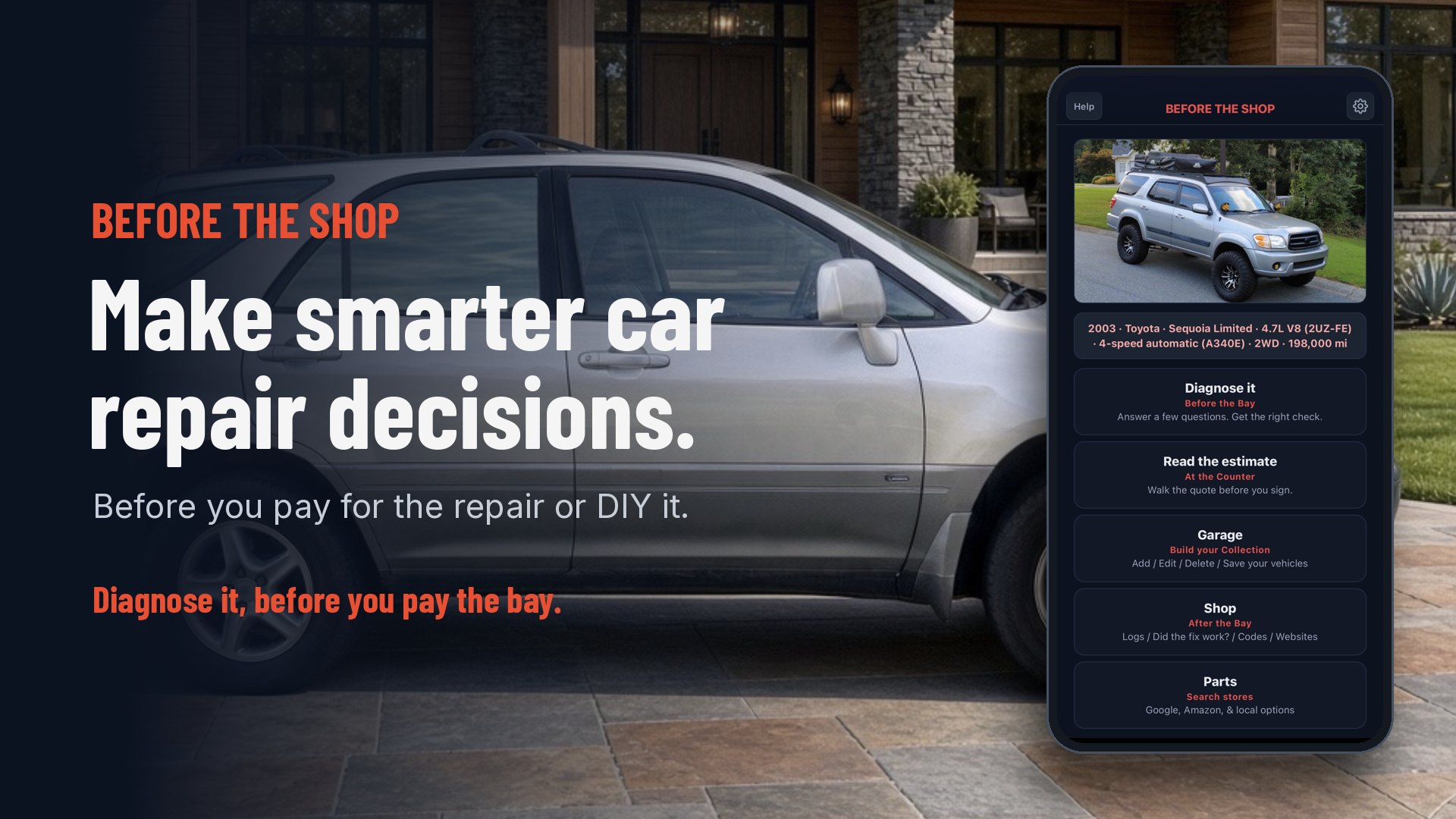
Diagnose it, before you pay the bay

Before you pay for the repair or DIY it.

Before The Shop writes up your car's problem, checks repair estimates line by line, and keeps your cars' details in one place. $19 one time. Your car data stays on your phone.

Get the app — $19

$19 one time · 7-day money-back · no account

Save the car once. Go in prepared.

Tell it what's going on and it writes the problem up for your exact car, ready to send to ChatGPT, Grok, Gemini or Google. Then read the estimate, keep recalls and maintenance with the car, and walk in with a Shop Sheet.

01

Diagnose it

Tap what's going on, answer a few questions, and it writes the problem up for your saved car. Send it to ChatGPT, Grok, Gemini or Google.


Before The Shop app screenshot: the What's going on? screen with "squeal when braking" typed in, and buttons for Won't start, Leak, Noise, Warning light, Shop quote and Need a part
02

Read the estimate

Type the lines from your paper quote. Review checks that the lines add up, shows each labor line's hourly rate next to the rate you typed for your shop, and offers price checks per part. Then decide: approve it, ask about it, or DIY it.

Before The Shop app screenshot: Questions for the counter, one plain question for each estimate line, such as front brake pads, front rotors and shop supplies
03

Garage

Save each car once: pick it from the list or type it. Type your VIN and it fills in your car's details for you to check. Maintenance due, quick reference, recalls and owner complaints from NHTSA, and a printable Shop Sheet live with the car.

Before The Shop app screenshot: the Garage for a 2003 Toyota Sequoia Limited, 4.7L V8, 198,000 miles, with the car's photo, Your vehicles picker, Maintenance due showing tire rotation due soon and the oil change, brake inspection and engine air filter OK, Quick reference, Recalls and complaints with 7 recalls and 684 owner complaints from NHTSA, and a Make a Shop Sheet button
04

Shop

After the bay: checks, logs, “Did the fix work?” check-backs with warranty tracking, saved codes, and useful websites — kept with each car.

Before The Shop app screenshot: Add code with P0171 entered, showing System Too Lean (Bank 1) and its typical causes
05

Parts

Need a part? One search line built from your saved car. For pads, rotors, bulbs and wipers it asks Front or Rear first. Search Google or Amazon and pick the listing that says it fits. The app doesn't sell parts.

Before The Shop app screenshot: I need a part for the saved 2003 Toyota Sequoia, with part buttons like headlight bulbs, wiper blades, battery, oil filter and brake pads, a search line built from the car, optional Near me, Engine and Transmission filters, and Search Google and Search on Amazon buttons
  • $19one time. No subscription.
  • Noaccount. Nothing to sign up for.
  • On-deviceYour car data stays on your phone.
  • 3devices on one license.
  • Offlineafter install.
  • 7-daymoney-back guarantee.

How it works

  1. Buy once and install. Open the app in your browser and add it to your home screen. It works on iPhone (Safari or Chrome), Android and PC.
  2. Save your car. Pick or type it, or type your VIN and it fills in your car's details for you to check.
  3. Go in prepared. Run the checks, read the estimate, and bring your Shop Sheet to the counter.

What it is not

Not a scan tool — it doesn't plug into your car. Not a substitute for a technician — a qualified tech still does the diagnosis and the work. Not a subscription — you pay $19 once. Not an App Store app — it installs from your browser.

Questions

Can I try it first?
Yes. The estimate check is free at jetisys.com/check. Type in the lines from a shop quote and get the questions to ask. No key, no account.
Does it diagnose my car?
No. It writes the problem up for your exact car, and you send that to ChatGPT, Grok, Gemini or Google. AI answers are a starting point. A qualified tech still does the diagnosis and the work.
Does it know my shop's labor rate?
No. You type your shop's rate, and it shows each labor line against that rate.
Is this a subscription?
No. It's $19 one time, with no renewals and no account.
Does it work offline?
Yes. After install, Diagnose it, the estimate check, your Garage, and the parts and code lists all work with no connection. The photo reader, VIN lookup, recalls, shopping links and opening an AI app need one.
Does it work on iPhone?
Yes. Open it in Safari or Chrome and add it to your home screen, not inside TikTok, Instagram or Facebook. It also works on Android and PC.
How many devices can I use?
Up to 3 devices on one license, for example your phone, a second phone and a computer. Hit the max? Free up a device yourself at jetisys.com/key, or email support@jetisys.com.
Where does my data go?
Your car data stays on your phone. There's no account and no ads. Some features go online when you use them: recall and VIN lookups go to NHTSA, part and system summaries come from Wikipedia, unlocking checks your license, the optional photo reader sends the estimate photo through our server to xAI to be read (we don't keep the photo or the text), and the send and search buttons open ChatGPT, Grok, Gemini or Google. Use Backup and Restore to keep a copy or move to a new phone.
Is it a scan tool?
No. It doesn't connect to your car. It helps you understand the problem, read the estimate and know what to ask. It's not a substitute for a technician.
Where is my license key?
Your license key is emailed to you right after purchase by LicenseSeat (our license service). Check spam/promotions. Can't find it? Go to jetisys.com/key, enter the email you bought with, and you'll get a link to your key. One purchase unlocks up to 3 devices. Paste the key in the app to unlock. Trouble? Email support@jetisys.com.
Can I share the app link?
Your license is personal, so keep your key and app link to yourself. Want to tell a friend? Send them the free check at jetisys.com/check.
What if it's not for me?
There's a 7-day money-back guarantee. Email support@jetisys.com.

It helps you decide and ask. It works with your shop, not against it.