


Live. $19 one time. No subscription.
Before The Shop
Make smarter car repair decisions.
Before you pay for the repair or DIY it.
One price. No subscription. No account. Your data stays on your phone.
Before The Shop is an app for car owners. Save your car once, and it gives you repair checks, estimate questions, recalls and maintenance for that exact car. Be prepared whether you're paying for the repair or doing it yourself.
$19 one time · 7-day money-back · no account · works offline · iPhone, Android, PC (up to 3 devices)
Who it is for
Car owners and DIY mechanics who want to understand the job, read the estimate, and know what to ask at the counter — and a place to keep cars, logs, codes, parts, and notes.
How it works
- Buy once and install. Open the app in your browser and add it to your home screen: Safari on iPhone, or Android, or PC.
- Save your car. Type in year, make, model, engine and transmission, or decode it from your VIN.
- Go in prepared. Run the checks, read the estimate, and bring your Shop Sheet to the counter.
One wrong part or wasted bay hour costs more than $19.
See it on your phone
Save the car once. Research the problem, look up codes, read the estimate, compare prices, check recalls, and keep each repair and its warranty on file, so you can make a smarter call before you pay for a repair or DIY it.
Swipe each row to see the steps.
1. First time opening it
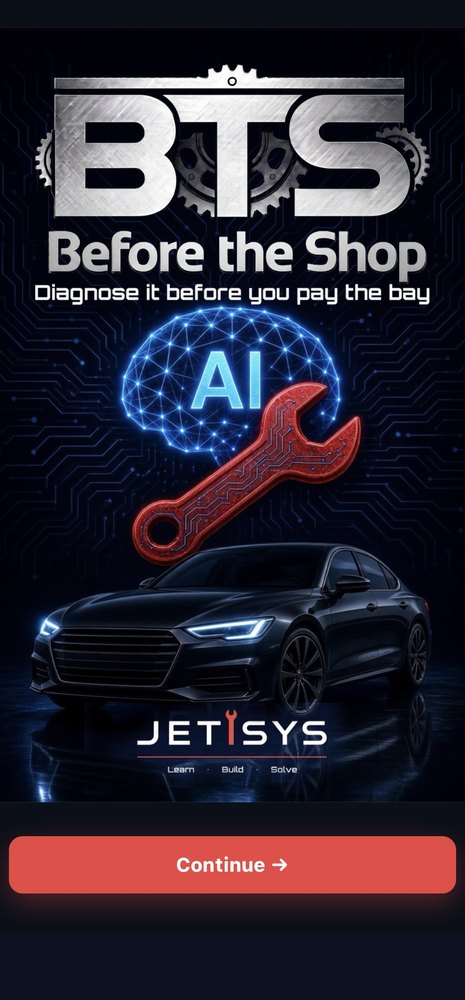
1. Open it from your home screen. No account needed. 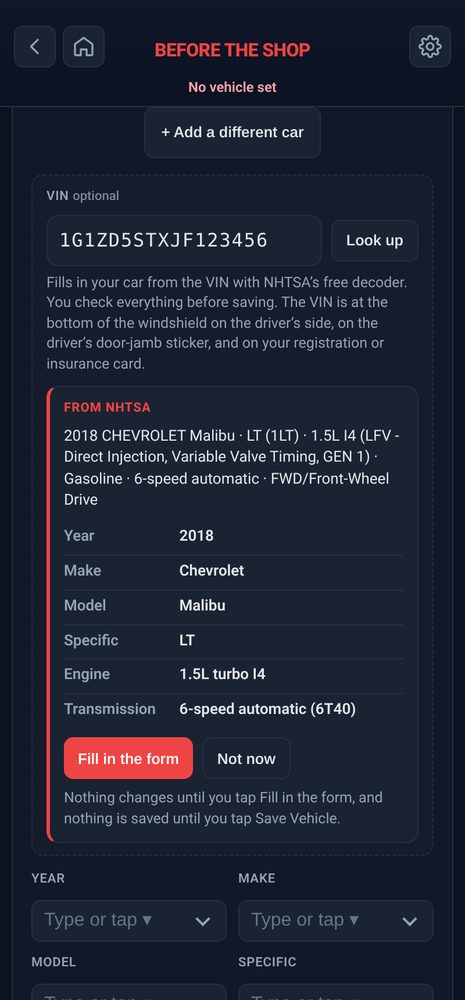
2. Decode your VIN, or type your car in. 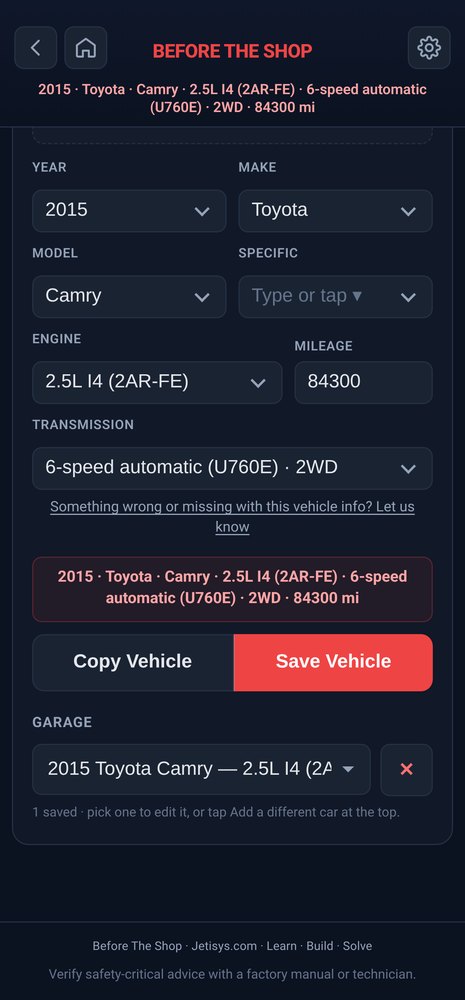
3. Pick the exact engine and transmission. Spot an error? Tell us. 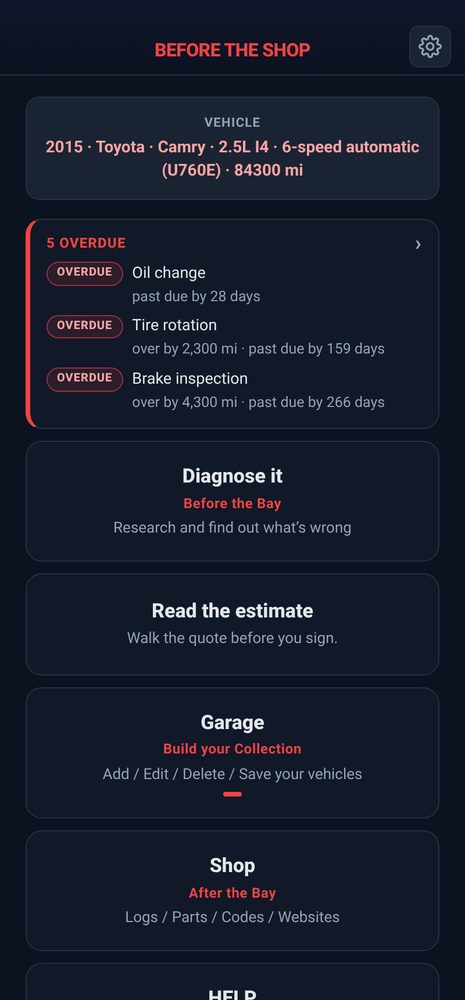
4. Home shows your car and what's due.
2. Something's wrong with my car
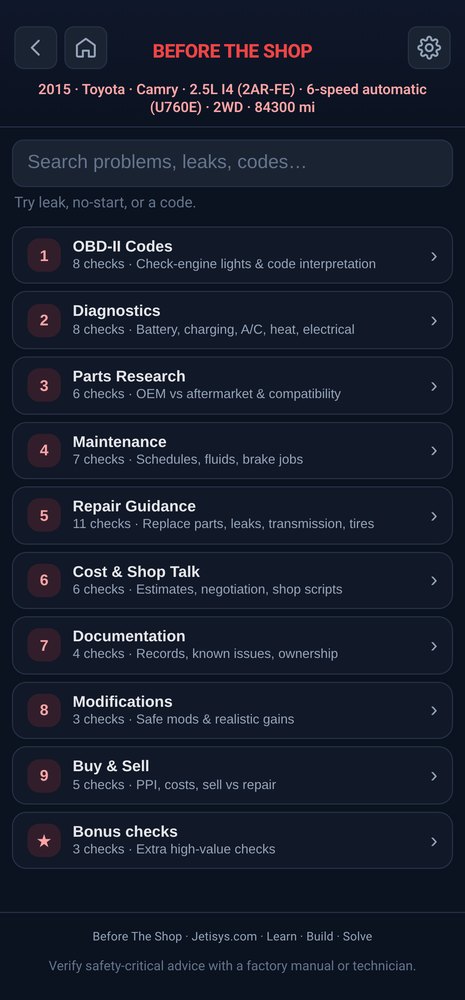
1. Search a symptom or browse by section. 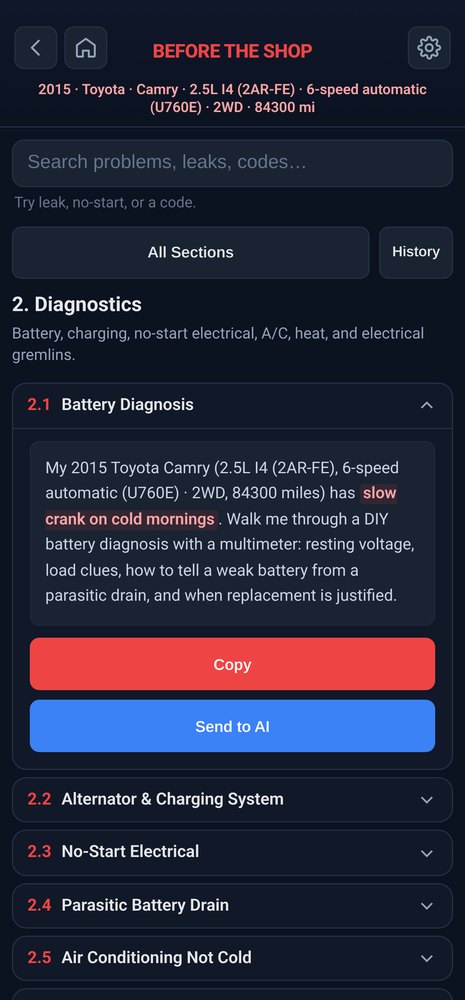
2. Get checks written for your exact car. 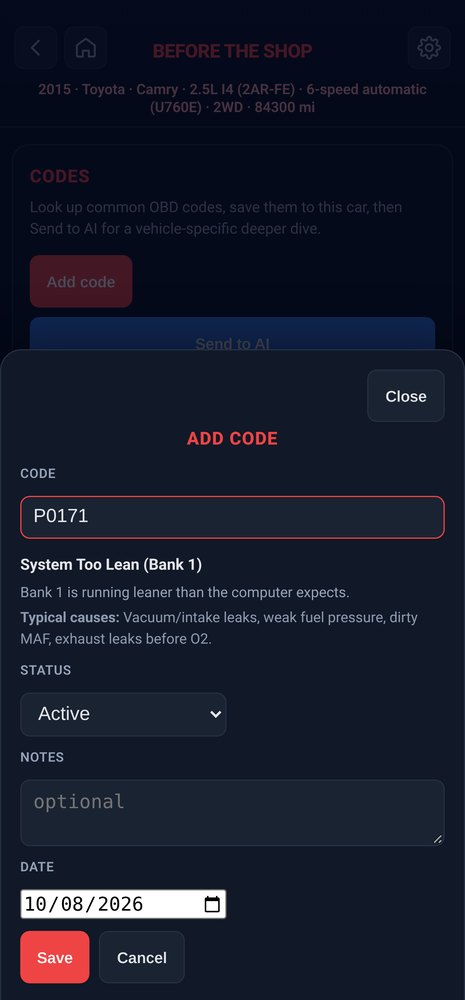
3. Look up a trouble code, even offline.
3. I got a quote
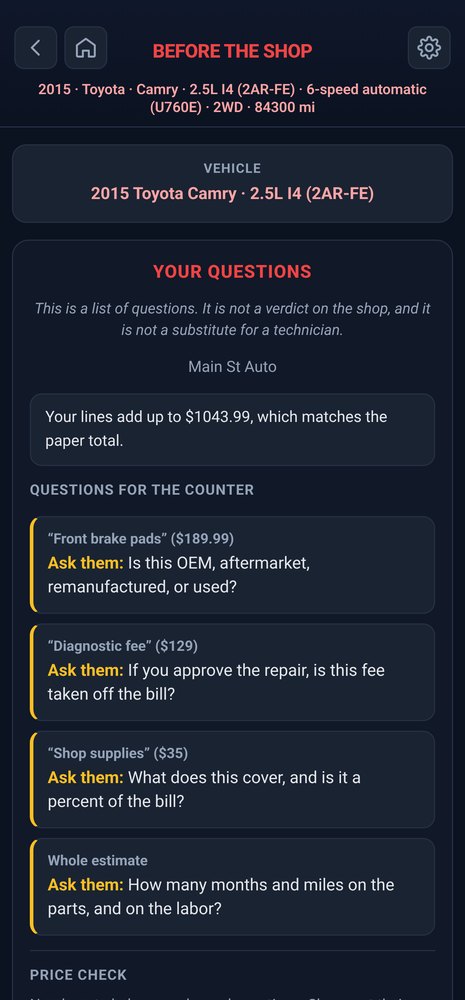
1. Turn each line of the quote into a plain question. 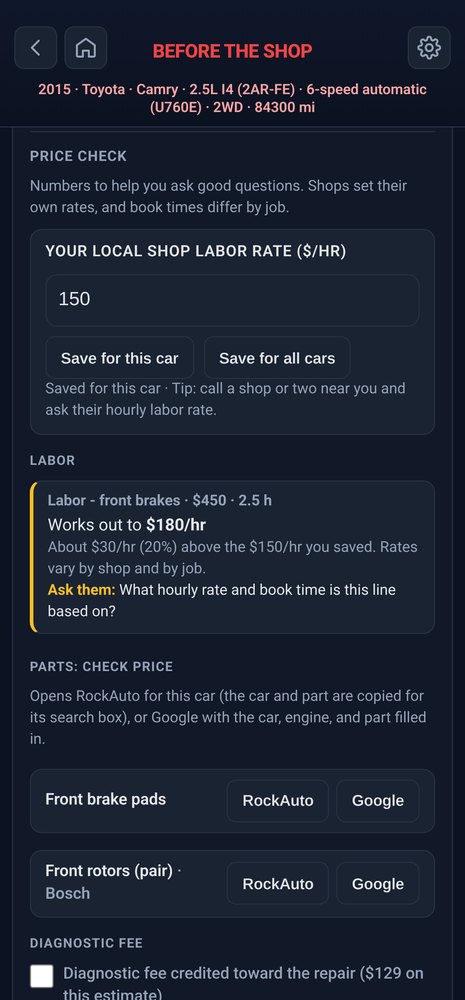
2. Compare the labor rate and part prices, then decide: pay or DIY. 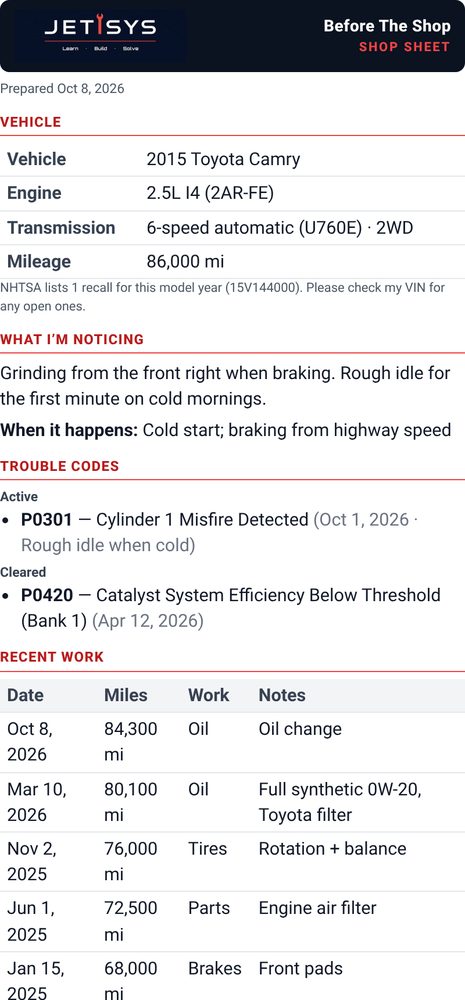
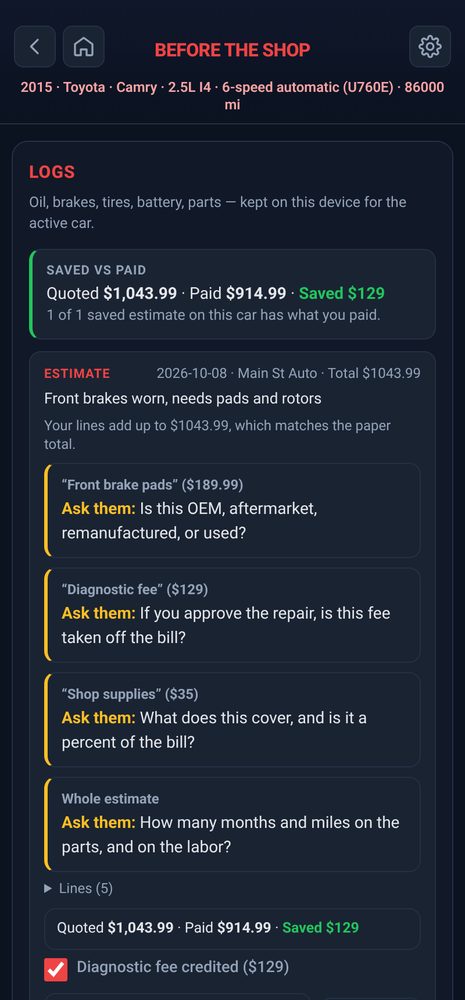
3. Bring one page with your car, symptoms and codes.
4. After the repair
1. Log what you paid and what you saved. 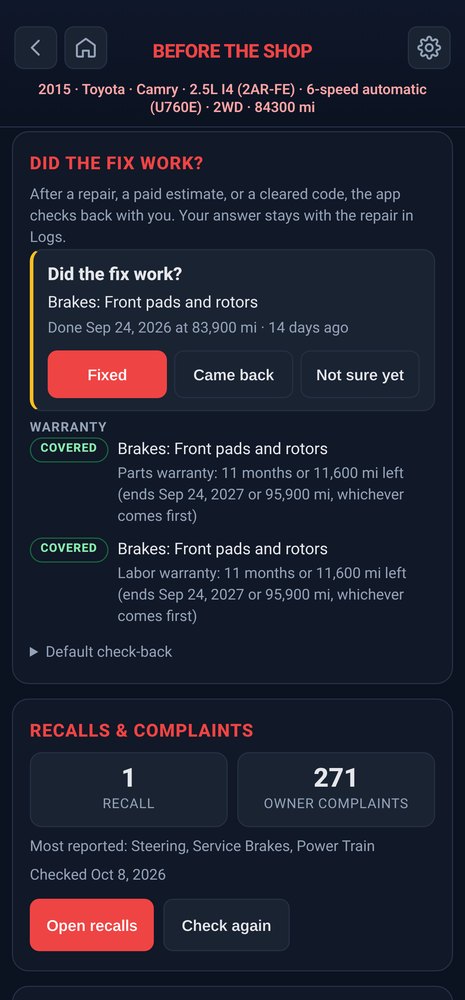
2. Check back: did the fix work, and how much warranty is left? 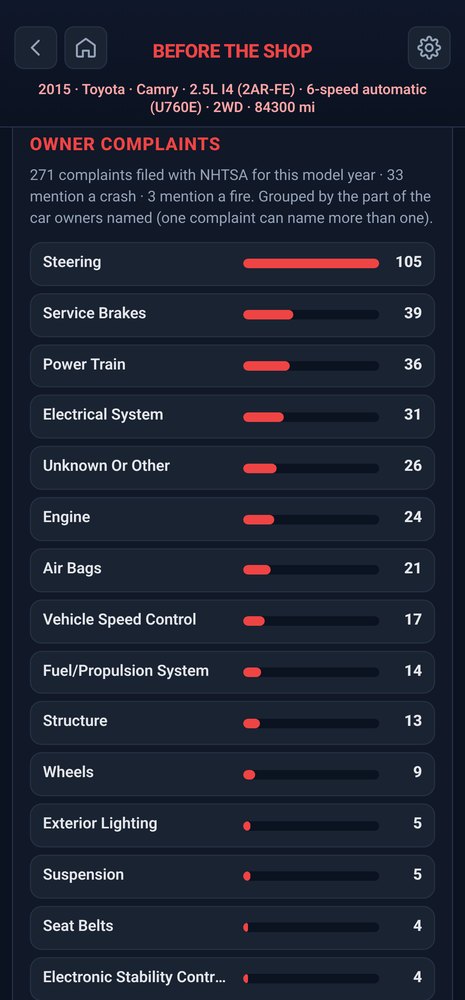
3. Keep an eye on recalls and owner complaints.
What you get
- Your car, saved once — year, make, model, engine and transmission, or decode it from your VIN. Edit a saved car any time.
- Repair checks for your exact car — 61 checks in 9 sections plus a bonus: diagnosis, maintenance, parts, buying and selling, talking with a shop, and more
- Read the estimate — turns a shop quote into plain questions: diagnostic fee credit, shop supplies, labor hours and rate, duplicate lines, warranty, and whether the lines add up to the printed total
- Labor-rate check against your local shop rate, plus what you saved vs. what you paid, kept with the car
- Recalls and owner complaints for your car, from NHTSA data
- Maintenance due and overdue, worked out from your logs and mileage, with calendar reminders
- Shop Sheet — one page with your car, symptoms, codes, recent work and your questions. Print it or share it at the counter.
- Offline lookups for 120 common trouble codes and 77 parts
- Garage — logs, codes and parts for each car, plus backup and restore
- One-tap hand-off to Google or your AI of choice, with your car's details already filled in (opens in a new tab)
- Works offline after install. iPhone, Android and PC — up to 3 devices on one license.
- “Did the fix work?” — a check-back after the repair, with warranty tracking
Also in the download
- START_HERE.txt
- BeforeTheShop-Quick-Start.pdf
- HowTo_BeforeTheShop.mp4
- LICENSE.txt
License key unlocks the app on up to 3 devices. Personal license.
What it is not
Not a scan tool — it doesn't plug into your car. Not a substitute for a technician — a qualified tech still does the diagnosis and the work. Not a subscription — you pay $19 once. Not an App Store app — it installs from your browser.
FAQ
- Can I try it first?
- Yes. The estimate check is free at app.jetisys.com/check. Type in the lines from a shop quote and get the questions to ask. No key, no account.
- Is this a subscription?
- No. It's $19 one time, with no renewals and no account.
- Does it work offline?
- Yes, after install. Repair checks, the estimate reader, your Garage and logs, and the code and parts lookups all work without a connection. Recalls and complaints come from NHTSA, so checking for new ones needs a connection.
- Does it work on iPhone?
- Yes. Open it in Safari and add it to your home screen — not the in-app browser in TikTok, Instagram, or Facebook. It also works on Android and PC.
- How many devices can I use?
- Up to 3 devices on one license, for example your phone, a second phone and a computer. Hit the max? Reply to your Gumroad receipt.
- Where does my data go?
- Nowhere. It stays on your device. There's no account and there are no ads. Use Backup and Restore to keep a copy or move to a new phone.
- Is it a scan tool?
- No. It doesn't connect to your car. It helps you understand the problem, read the estimate and know what to ask. It's not a substitute for a technician.
- Where is my license key?
- Your license key is emailed to you right after purchase by LicenseSeat (our license service). Check spam/promotions. Can't find it? Go to jetisys.com/key, enter the email you bought with, and you'll get a link to your key. One purchase unlocks up to 3 devices. Paste the key in the app to unlock. Trouble? Email support@jetisys.com.
- Can I share the app link?
- No. Personal license. Do not share your license key or the private app link.
- What if it's not for me?
- There's a 7-day money-back guarantee. Email support@jetisys.com.
7-day money-back. License key unlocks up to 3 devices. Email support@jetisys.com.
Verify safety-critical advice (brakes, steering, airbags, fuel) with a factory manual or a qualified technician.